HDI PCB Drill Files: Defining Layer-Pair Spans for Every Via
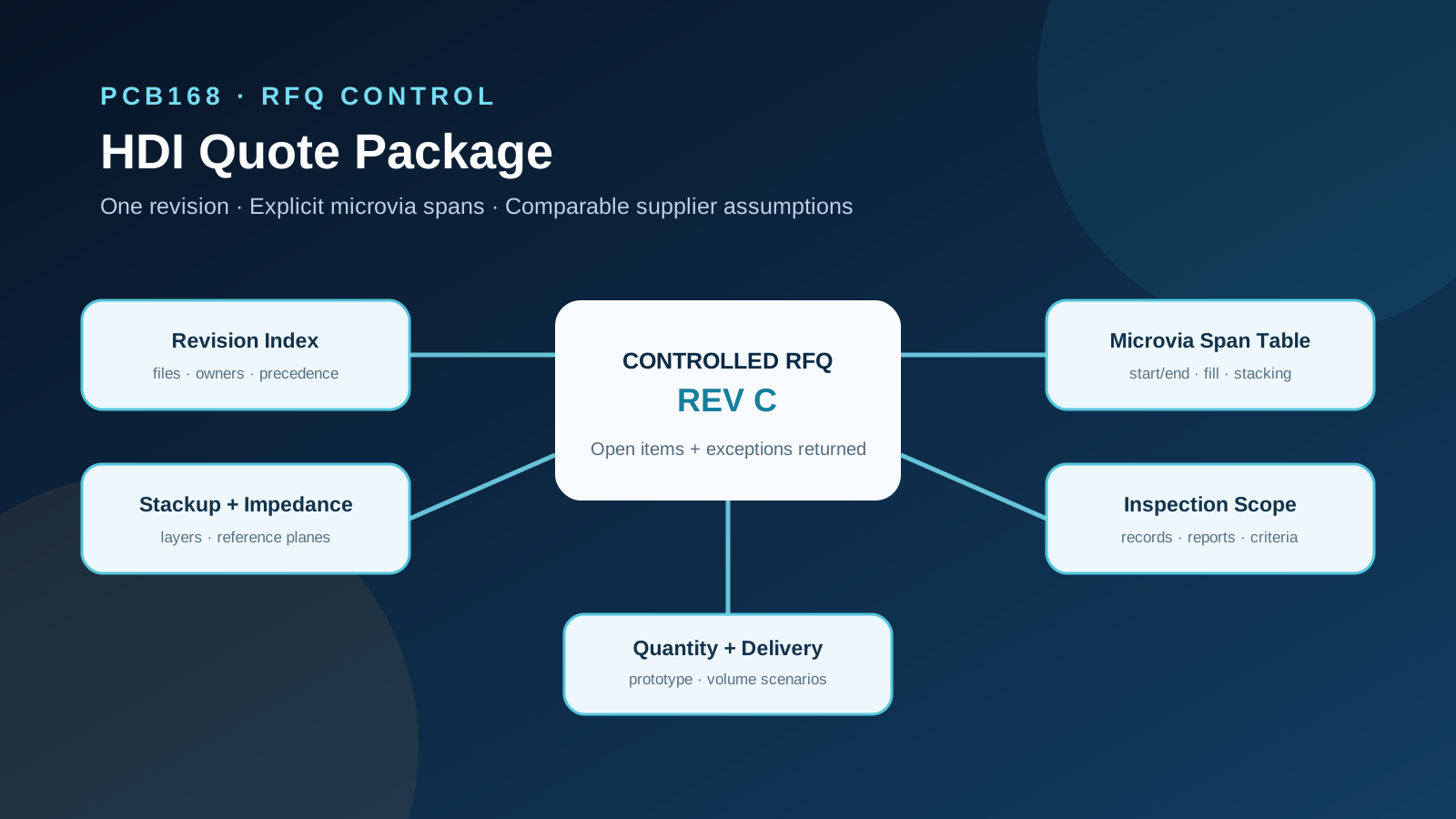
Why one merged drill file gets read as through-holes
A through-hole board needs one drill file: every hole starts on the top layer and ends on the bottom layer. An HDI board does not work that way. The same design can carry laser microvias from L1 to L2, a second laser step from L2 to L3, buried mechanical vias from L3 to L6, and through-holes from L1 to L8. Each group is drilled at a different point in the build, after a different lamination.
If all of those holes arrive in one Excellon file, the file holds X/Y positions and tool sizes, but nothing about where each hole starts and stops. The CAM engineer then has to guess the span from tool size, from the netlist, or from a note on the fab drawing. Different suppliers guess differently. One quotes a 2+N+2 build, another quotes a 1+N+1 build with stacked vias, and a third sends back an engineering query that holds the quote for days.
The quotes you get back are then not comparable, because they price different boards.
Split the drill data by layer pair
The rule is simple: one drill file per span. A span is a start layer, an end layer and a hole type. Holes with the same span go in the same file. Holes with different spans never share a file, even if they use the same tool size.
For the 8-layer example above, the package would hold four drill files:
| Span | Hole type | Drilled when |
|---|---|---|
| L1–L2 | Laser microvia | After the outer build-up lamination |
| L2–L3 | Laser microvia | After the first build-up lamination |
| L3–L6 | Mechanical buried via | On the core sub-assembly, before build-up |
| L1–L8 | Mechanical through-hole | After final lamination |
The same logic applies to the mirror side (L7–L8, L6–L7) and to any mechanical blind via, such as L1–L4. If the design uses back-drilling, the back-drill is a separate file again, with its own start layer and a "must not cut" layer stated.
Plated and non-plated holes with the same span should also be split, or at least flagged per tool, so nobody has to infer plating from the hole size.
Name each file so the span is readable without opening it
A file named drill2.drl tells the reader nothing. Put the span and the hole type in the file name, and use the same layer numbers as the stackup drawing:
PRJ123_revC_drill_L01-L02_laser.drlPRJ123_revC_drill_L02-L03_laser.drlPRJ123_revC_drill_L03-L06_buried.drlPRJ123_revC_drill_L01-L08_PTH.drlPRJ123_revC_drill_L01-L08_NPTH.drl
Keep the revision letter in every name. When a revision changes only one span, the supplier can see which file moved. Gerber X2 file attributes can carry the same span information inside the file; if your CAD tool writes them, keep the readable names anyway, because many people in the quote chain will only see the file list.
Add a span table to the fabrication drawing
File names help, but the fabrication drawing should still carry one table that lists every span. This table is what the supplier's CAM engineer checks the files against, and it is what you check the supplier's stackup proposal against.
Columns that make the table usable:
| Column | What to write |
|---|---|
| File name | Exact name from the package |
| Start layer / end layer | Same numbering as the stackup drawing |
| Hole type | Laser microvia, mechanical blind, buried, through, back-drill |
| Plated | Yes / no |
| Fill | Unfilled, resin-filled, copper-filled |
| Cap plating | Required over the via or not |
| Stacked on | Which span this via sits directly on, if any |
| Finished size basis | Finished or drilled size, as your drawing defines it |
Leave sizes and tolerances to your own drawing rules. The point of the table is that every hole in the package belongs to exactly one row, and no row is left for the supplier to fill in.
The "stacked on" column matters most for build-up boards. A microvia L1–L2 placed directly over a microvia L2–L3 is a stacked structure, which usually means the lower via must be copper-filled. If the table does not say so, one supplier will quote staggered vias and another will quote stacked and filled vias. Our guide to stacked versus staggered microvia declarations covers that choice; this table is where you record it.
Use one layer numbering everywhere
The most common span error is a numbering mismatch. The stackup drawing counts layers from the top as L1 to L8. The CAD export names the Gerbers by internal layer names such as "GND2" or "Inner3". The drill file names use a third scheme. Each scheme is consistent with itself, and the package still describes two different boards.
Before you send the package, check three things:
- The Gerber file list, the stackup drawing and the span table use the same layer numbers.
- Every start and end layer in the span table has a copper Gerber with that number.
- The number of build-up laser steps in the span table matches the number of laminations the stackup implies.
The third check catches a costly error. A span table with laser vias at L2–L3 means at least two build-up laminations on that side. If the stackup drawing shows only one, the supplier will either query it or quote the cheaper build and discover the problem at CAM. Our article on declaring HDI layer count and lamination cycles explains how lamination count drives price.
What the data format does and does not solve
| Format | Where span information lives |
|---|---|
| Excellon drill files plus Gerber | Outside the data: file names, the span table and the drawing |
| Gerber X2 drill files | In file attributes, if the CAD tool writes them correctly |
| ODB++ | In the job's layer matrix, as drill layers with start and end layers |
| IPC-2581 | In the stackup and drill definitions inside one file |
ODB++ and IPC-2581 carry span data as part of the format, which removes much of the guessing. They do not remove the need to check it. A layer matrix exported with a wrong start layer is still wrong, just more precisely. Keep the span table on the drawing whichever format you send, because the drawing is the document that people in purchasing, quality and incoming inspection will actually read.
If you also need to decide how hole sizes are stated, see finished versus drilled hole size in drill files. That is a separate question from span and should be settled in the same table.
Questions a supplier should not have to ask
If the package is complete, a supplier's CAM review should not need to send any of these engineering queries. Use them as a final check:
- "This drill file has holes at L1–L2 and L1–L3 mixed. Which is which?"
- "The span table shows L2–L3 laser vias, but the stackup has one build-up layer. Please confirm the build."
- "Are the L1–L2 vias stacked on the L2–L3 vias or offset? Is copper fill required?"
- "The back-drill file has no stated must-not-cut layer."
- "Gerber layer 'Inner2' does not match any layer number in the span table."
- "The drawing is revision C, the drill files are revision B."
Each of these questions delays the quote. Worse, if one supplier asks and another simply assumes, you get two quotes for two different boards and no way to see it from the price lines.
What to send with the RFQ
For an HDI board with more than one hole span, the drill part of the package should contain:
- One drill file per span, named with project, revision, start layer, end layer and hole type.
- Separate files, or per-tool flags, for plated and non-plated holes.
- A separate back-drill file per side, with its must-not-cut layer.
- A span table on the fabrication drawing, using the same layer numbers as the stackup and the Gerbers.
- Fill, cap plating and stacking stated per span in that table.
- One revision letter across drawing, drill files and Gerbers.
The HDI PCB quote package checklist lists the rest of the package. For build options and how HDI boards are quoted, see HDI PCB manufacturing. When the package is ready, you can submit it for a quote.
FAQ
Can I send one drill file if my CAD tool exports all holes together?
You can, but the supplier then has to reconstruct the spans. Most CAD tools can export drill data per layer pair; use that option. If yours cannot, the span table on the drawing becomes the only source and must list every tool by span.
Do I need a span table if I send ODB++ or IPC-2581?
Yes. These formats carry span data, but the drawing is what people outside CAM read, and it is the reference when the exported data and the intent disagree. Keep the table and check that it matches the export.
How should buried vias be named when the core is drilled before build-up?
Use the final layer numbers of the finished board, not the layer numbers of the sub-assembly. A buried via from L3 to L6 stays L3–L6 in the file name, even though it is drilled when the core is still a 4-layer part.
Where do I state whether a microvia is stacked or staggered?
In the span table, in a "stacked on" column, plus fill and cap plating per span. Stacking changes the build and the price, so it must not be left to the supplier to infer from the X/Y positions.
Should back-drill be treated as a span?
Treat it as its own file and its own table row, with the start side and the layer that must not be cut. It is a controlled-depth operation, not a hole that connects two layers.
What if the supplier proposes a different build than my span table?
Ask for the proposal as a written exception against your table, row by row. Then compare suppliers on the same table, and accept or reject each change before the order.
Need PCBs for Your Project?
Get an instant quote — prototypes from $2, delivered worldwide.
Get Instant Quote